
Every number you rely on in your business starts with data entry and should be confirmed through bank reconciliation. If either step is missed, it becomes difficult to know how your business is performing or that you’re paying your tax accurately.
Small mistakes also snowball. An error caught at the data entry stage takes a minute to fix. The same error found months later, after it has flowed into your BAS, your reports and your decisions, can take hours to unwind and may mean correcting a lodged statement.
This guide covers what data entry is, what a bank reconciliation does and does not prove, and how to do one from scratch, with a worked example. Grab your calculator and let’s get started.
The basics of data entry and bank reconciliation
Data entry
Financial data entry is how your business records money as it moves in and out. When this information is accurate and centralised, it becomes much easier to understand your financial position, meet tax obligations, and monitor cash flow.
Business owners often need to balance speed and accuracy when it comes to data entry. On one hand, you don’t want to spend hours each day recording transactions. On the other hand, moving too quickly increases the risk of mistakes. This trade-off is why many busy business owners look for external support.
Bank reconciliation
Bank reconciliation is the process of checking that the bank account in your records (your cash book, or the bank account in your accounting software) agrees with your bank statement, and explaining any difference. Doing this regularly helps you catch errors, spot unauthorised transactions, and track cash flow before it causes problems for your business.
A reconciliation supports completeness and accuracy when transactions are individually matched and outstanding items are validated. A balanced total alone cannot prove that every transaction was recorded once at the right amount: offsetting errors can cancel out. Keep an independent review of the matching and reconciling items. It does not prove that each transaction was coded to the right account, that GST was treated correctly, or that unpaid invoices and bills are complete. Those checks sit in the wider ledger review.
There is no single ‘best’ way to do this, and businesses manage their data in different ways. Many use accounting software with bank feeds to capture transactions and suggest matches, or engage a bookkeeper to record and review the data. The steps below show the manual method, which is also what the software is doing behind the scenes.
A step-by-step guide to doing your own bank reconciliation
You don’t need an accounting degree to reconcile a bank account. You need the right documents, a starting balance you trust, and patience with the details.
1. Collect all your documents
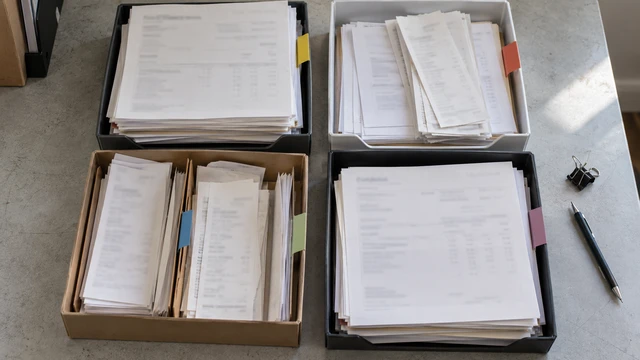
Your first task is to find all the financial information you have for the period you are reconciling. This could be in your accounting software, emails, between messages with co-workers, or on suppliers’ websites.
A good starting point is reconciling the past month. Your documents could be any of the following:
- Bank statements (and credit card statements if relevant)
- Sales invoices (money in)
- Supplier invoices and bills (money out)
- Expense receipts (fuel, travel, software, etc.)
- Payroll summary for the period (including PAYG withholding and superannuation)
- Merchant payment reports (Stripe, Square, PayPal, EFTPOS)
- Loan repayment statements (if relevant)
Make sure all your records cover the exact same timeframe. Reconciling mismatched time periods can easily confuse the process.
2. Find your opening balance
Before you start tracking individual transactions, check your opening balance. In your records, this is the closing balance from your last completed reconciliation. On the bank statement, it is the balance at the start of the period.
The two may not be the same, and that can be fine. If a payment you recorded last month had not yet cleared the bank at month end, the bank’s opening balance will be higher than yours by that amount. Write down any opening difference and the item that explains it. If you can’t explain it, fix the earlier period first: every calculation after this point depends on it.
3. Create a spreadsheet and input all the data from your documents
If you aren’t using accounting software yet, create a basic spreadsheet for the data you’ve gathered. Open Excel or Google Sheets and set up columns for the date, description, money in, money out, and a running balance.
Add all your data into your spreadsheet and keep track of what your moving balance should be.
Tip: Keep a link to (or a copy of) the invoice or receipt for each row. That way, if there are any inconsistencies, you can go back and check the source directly.
4. Match your transaction spreadsheet to your bank statement
With your records complete, compare them line by line to your bank statement.
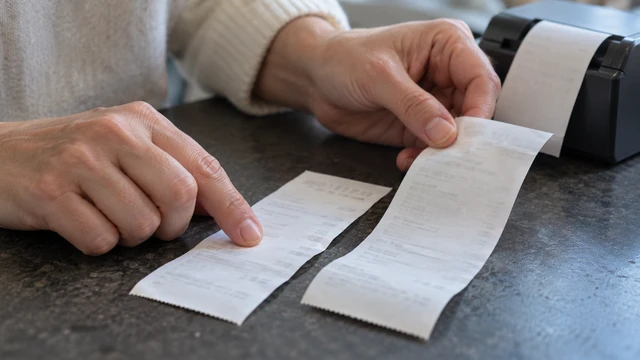
Start at the top of the bank statement and work your way down. For each transaction on the statement, find the matching entry in your records and tick it off.
When something doesn’t match, stop and work out why:
- If a transaction appears on the bank statement but not in your records (bank fees, interest, direct debits), add it, with the supporting document where there is one.
- If it appears in your records but not on the bank statement, it is usually a timing difference: a deposit not yet credited or a payment not yet cleared. Leave it unticked and list it as a reconciling item.
- If the amounts don’t match, check the invoice or receipt and correct the entry.
- If the same transaction appears twice in your records, remove the duplicate.
- If a charge and its refund both appear on the statement, record both. If they appear in different periods, the refund becomes a reconciling item until it clears.
5. Next steps
When every statement line is ticked, prepare a short reconciliation statement: the closing balance per the bank, plus deposits not yet credited, minus payments not yet cleared, should equal the closing balance in your records. If it does, the account is reconciled. If it doesn’t, the difference is an error still to be found.
Keep that statement with the bank statement as your evidence, lock the period, and set a date in your calendar for the next reconciliation. Doing this at least monthly helps you spot discrepancies before they grow.
A worked example
A business reconciles its main account for March. Its records showed $12,400 at the end of February. The bank statement opens on 1 March at $12,900. The $500 difference is a supplier payment recorded on 27 February that cleared the bank on 2 March, so the opening difference is explained. When that $500 appears on the March statement, it is ticked against the February entry.
At 31 March, after ticking every statement line, the records show $17,940 and the statement shows $17,620. Two statement lines were missing from the records: a $35 bank fee and $15 of interest. After adding them, the records show $17,920. Two items in the records are not yet on the statement: a $2,000 customer deposit banked on 31 March and a $1,700 supplier payment made on 30 March.
| Reconciliation at 31 March | Amount |
|---|---|
| Closing balance per bank statement | $17,620 |
| Add: deposit not yet credited | $2,000 |
| Less: payment not yet cleared | ($1,700) |
| Adjusted bank balance | $17,920 |
| Closing balance per records, after adding the fee and interest | $17,920 |
| Unexplained difference | $0 |
Both reconciling items should clear in the first days of April. If either is still outstanding a month later, follow it up: an uncredited deposit or an uncleared payment that never appears is a warning sign.
Best practices for reconciliation
These habits make reconciliations faster and more reliable.
Set a frequency based on risk, not only a calendar date
Monthly reconciliation suits most businesses as a baseline. Reconcile more often (weekly, or even daily) when transaction volumes are high, when you’re running payroll, or when large payments or payouts are moving through the account.
Keep track of why things don’t match
When something is off, note the reason for the difference. This might be a duplicate entry, an unclear supplier name, missed fees, or a payment that is still pending.
If you start to see the same issues coming up repeatedly, it’s usually a sign that something in your data entry process needs to be fixed.
Lock periods after reconciliation
Once you finish reconciling a period, stop past transactions from being changed. Most accounting software lets you set a lock date. If numbers can be edited after the reconciliation is done, your balances can change without you noticing, and the reconciliation becomes unreliable.
Keep reconciliation records in a safe, accessible place
Store your bank statements, reconciliation statements and supporting documents together. The ATO requires most business records to be kept for 5 years, in English (or easily converted to English), and electronic records are acceptable. Companies have a 7-year requirement for financial records under the Corporations Act.
5 ways to automate data entry and reconciliation
Reconciliation can take up a lot of time. Software can automate parts of the process. Here are five ways it can help.
1. Use accounting software with bank feeds
Most accounting platforms used in Australia, including Xero, MYOB and QuickBooks, can connect to your bank accounts through bank feeds.
This allows transactions to flow into your system automatically, rather than being entered by hand. You still need to review each one, code it to the right account and check the GST treatment, but the typing is done for you.
2. Enable receipt and invoice capture tools
Many tools use OCR (optical character recognition) to read invoices and receipts and extract key details like dates, amounts, and suppliers. This reduces manual typing and helps keep supporting documents attached to the right transactions. Check what they extract: the business is still responsible for the accuracy of its records.
3. Automate recurring transactions
Regular expenses such as rent, subscriptions, loan repayments, and wages can often be set up as recurring entries. This keeps records consistent and reduces the risk of forgetting or mis-entering repeat payments.
4. Use reconciliation rules and matching logic
Accounting software can be configured with rules that suggest or apply matches based on amount, supplier, or description. This speeds up reconciliation and makes it easier to spot anything that needs your attention. Review rules from time to time, because a wrong rule repeats the same error on every transaction it touches.
5. Outsource data entry and reconciliation support
For many growing businesses, the most effective form of automation is removing the task from your plate altogether. A bookkeeping service combines software, processes, and experienced review to keep records accurate without taking up your time.
Visory goes a step further by pairing bookkeeping and reconciliation with Visory Insights: a plain-English monthly read of your numbers, walked through with a Business Performance Partner, that highlights trends in cash flow, risks, and opportunities.
Bringing your numbers to life
Accurate data entry and regular bank reconciliation are what make your financial information reliable. When these processes are done consistently, you spend less time fixing errors and second-guessing what you can and can’t spend going forward.
If you’d rather focus on running your business, Visory runs bookkeeping, including data entry and reconciliation, for growing businesses, with a dedicated team and its AI, Delphi, overseen by that team.
FAQs
What happens if I don’t reconcile my bank statements?
If you don’t reconcile, errors slip through. Beyond missed payments or not setting enough aside for your tax bill, you could be making decisions from numbers that are wrong.
This means you might think you have the cash flow to invest in a new hire or start using a premium software option, only to discover later that you’re cash-poor or missed an opportunity to invest elsewhere.
What types of transactions need to be reconciled?
Every transaction that appears on the bank statement for the period needs to be matched to your records, including fees, interest, refunds and reversals. Items in your records that have not yet reached the bank are listed as reconciling items rather than ignored.
Pending card authorisations (holds) that were released without ever being charged don’t appear as posted transactions on the statement, so there is nothing to record. A charge that posted and was later refunded appears twice on the statement and should be recorded twice.
What could I learn about my business from reconciling my accounts?
Reconciling is a window into your day-to-day spending. It can help you feel confident in your numbers instead of having a vague idea of what’s going in and out.
When you see all the incoming and outgoing transactions, you might also notice costs you can cut, such as subscriptions you’re no longer using, or see that you have enough cash flow to invest in something to grow your business, like new computers for the team.
If you want to turn your financial data into insights, learn more about Visory Insights.
About this article
Written by Jack Bickersteth. Published . General information for Australian businesses, not advice for your situation.